
Black Friday, Christmas, sales: how to manage your promotions on PrestaShop and Shopify
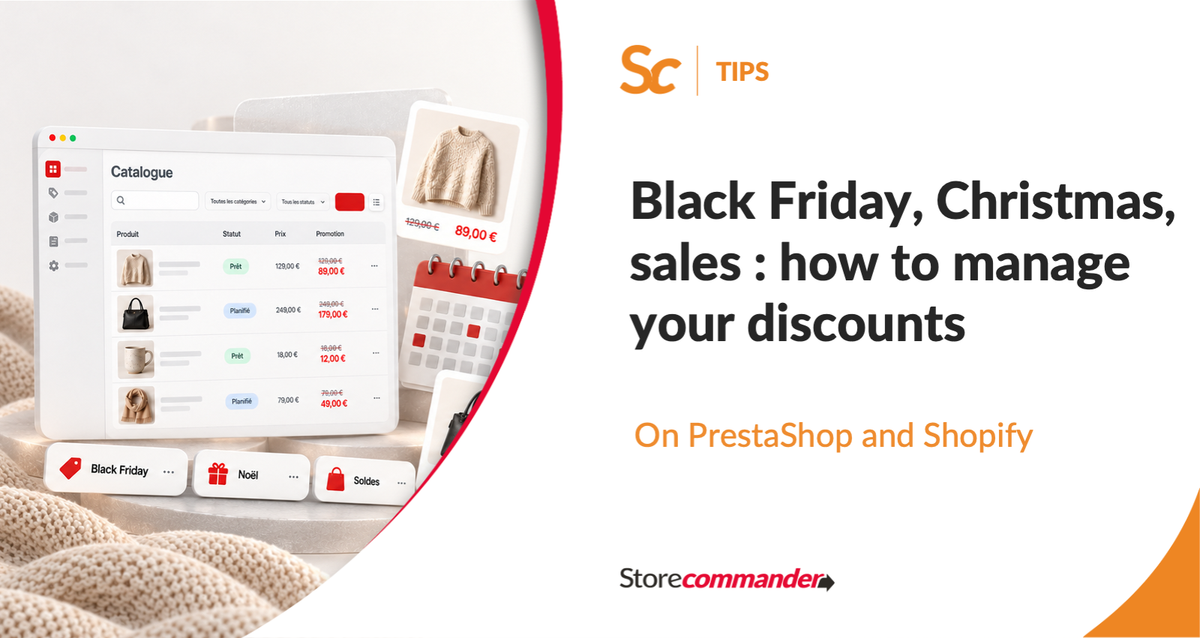
Black Friday, Cyber Monday, Christmas, then the winter sales: between the end of November and January, commercial highlights follow one another at a steady pace. For an e-merchant, each represents hundreds of prices to modify, products to highlight, then a catalog to put back in order a few days later. Whether your store runs on PrestaShop or Shopify, Store Commander helps you prepare these operations in advance, in bulk, without losing control of your prices or your margins.
End-of-year highlights: a busy calendar
Between the end of November and mid-January, most online stores run at least three commercial operations:
Black Friday and Cyber Monday (end of November): the most intense highlight of the year for many merchants;
Christmas : gift ideas to highlight, delivery times to monitor;
Winter sales : a clearance sale to prepare from early January.
Each operation has its own scope, its own discounts and its own dates. And each must be launched on time, then stopped on time.

The true cost of a promotion: before, during and after
A promotion is not just about the time it is online. In the native back-office, whether it is PrestaShop or Shopify, it is prepared and undone in several stages:
finding the products, combinations or variants concerned;
modifying prices, product by product or in small batches;
displaying the strike-through price to make the discount visible;
checking that the discount does not bring the price below the purchase price;
grouping products in a dedicated category or collection;
and, once the operation is finished, returning to normal prices without missing a single one.
On a catalog of a few dozen products, it is manageable. With several hundred references, combinations and a highlight every two or three weeks, these manipulations become a source of stress and errors : a promo that stayed active too long, a forgotten strike-through price, a missed variant, a margin reduced without realizing it.
Before launching your promotions: checks to carry out
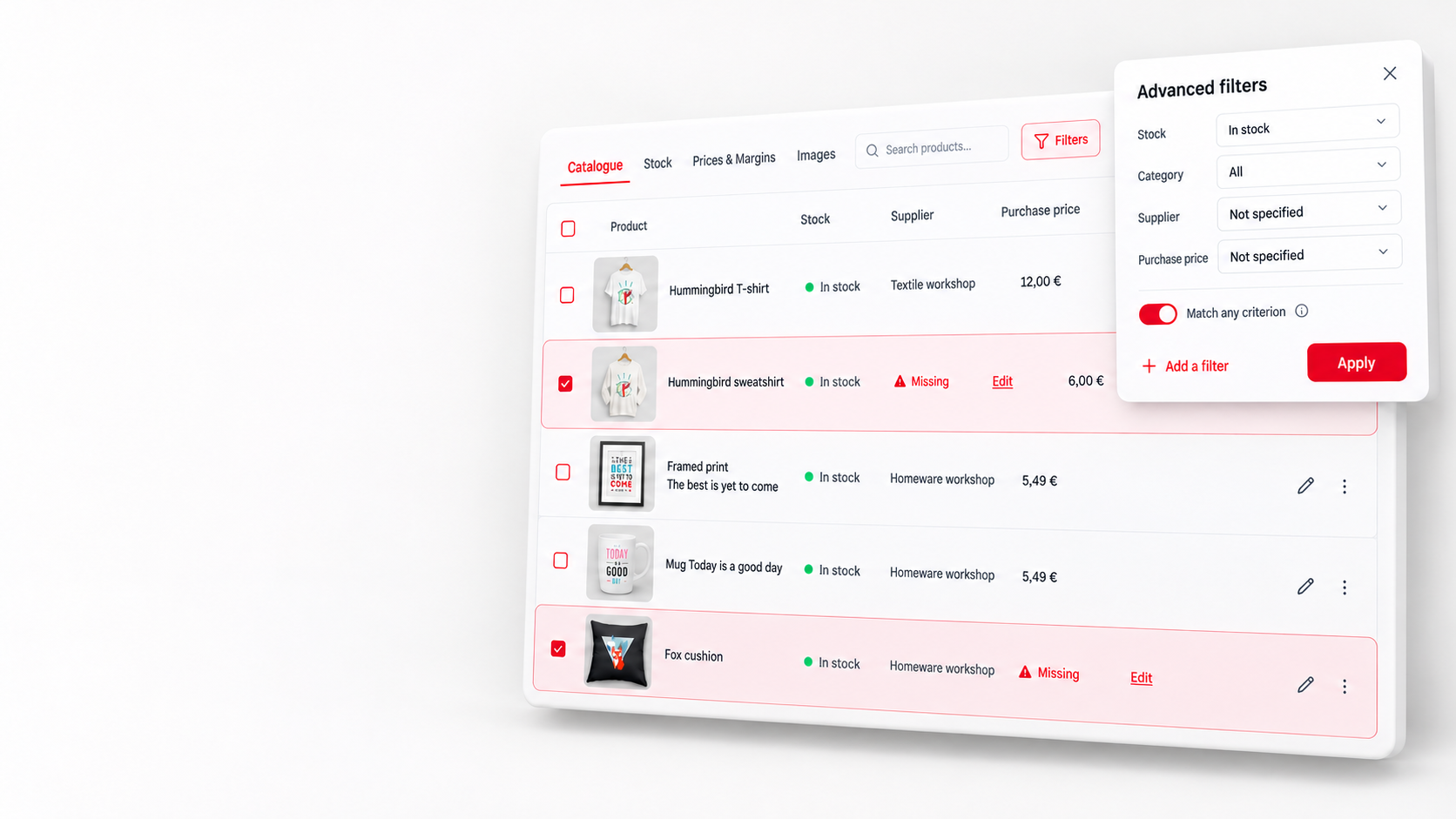
A successful operation is prepared on clean data. Before scheduling your discounts, take the time to check:
your purchase prices : without them, it is impossible to control your margins;
your stocks : no point in highlighting a product already out of stock;
your product sheets : photos, descriptions and complete combinations, because a promotion attracts traffic to these pages;
the scope of the operation : which products, which categories, what discount.
With Store Commander, these checks are done from a single view: you filter your catalog, you spot missing data and you correct them in bulk.
On PrestaShop: schedule your discounts and protect your margins
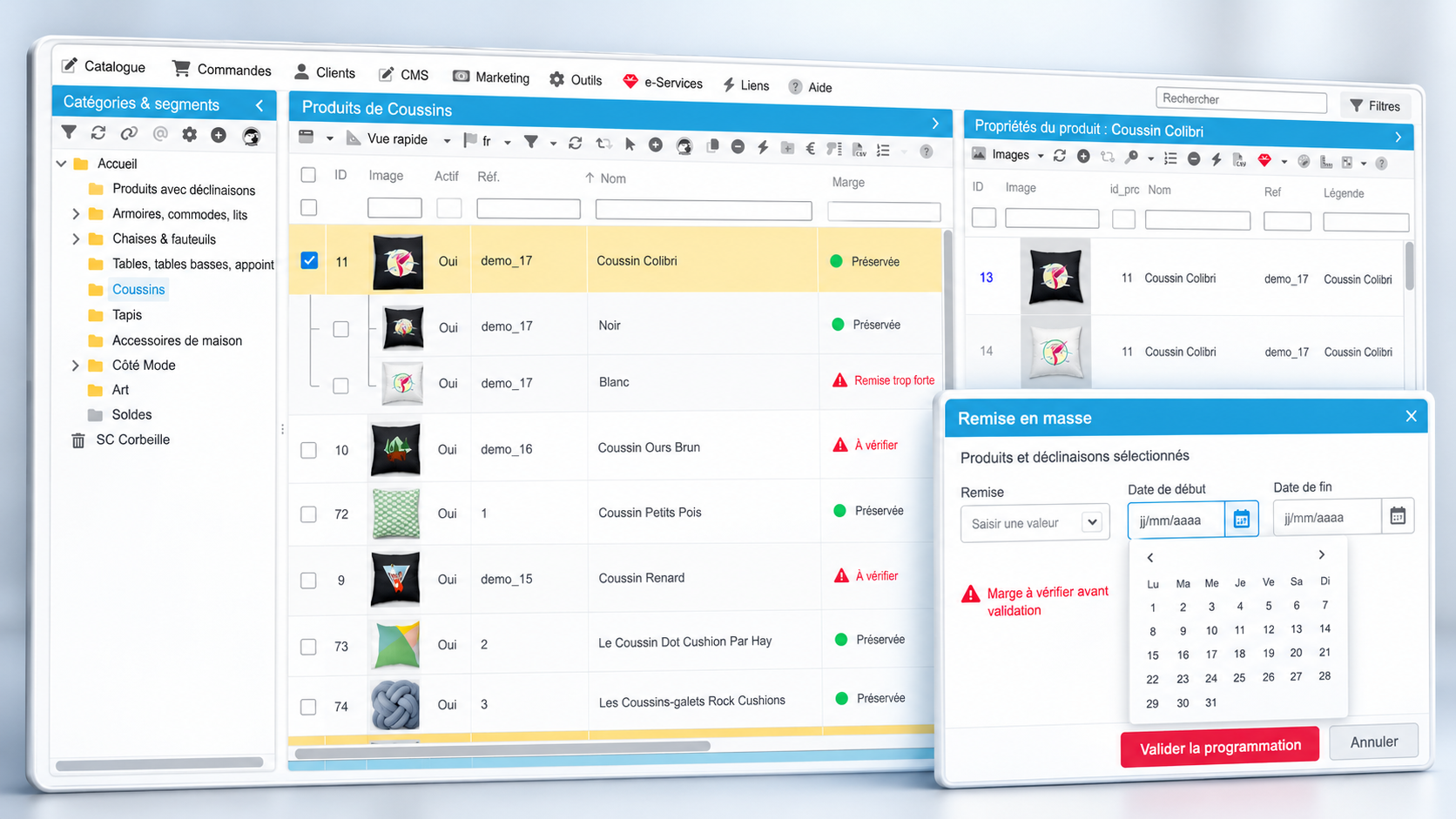
Store Commander allows you to prepare your discounts in bulk from its interface, directly in your back-office:
select your products using filters: category, manufacturer, supplier, stock… ;
apply the discount to the entire selection, including combinations;
schedule the period : the promotion starts and stops on the chosen dates;
round your prices to get clean prices, like €19.90 instead of €19.63;
control your margins before validating, to spot products whose discount would be too high.
If you manage multiple stores, you can apply the same operation to all your stores or adapt it to each one.
Learn more about Store Commander for PrestaShop 1.6 to 8.X.
On Shopify: preparing the entire operation at once
In Store Commander for Shopify, the Bulk Edit window allows you to prepare a complete promotion in a few steps:
Select your products using filters: a collection, a product type, a tag, a supplier…
Choose the price modification : a fixed amount (e.g.: 10), an adjustment (e.g.: +5 or -3) or a percentage (e.g.: -20%).
Apply a rounding to get clean prices.
Fill in the price before discount to display the strike-through price on your store.
Check the preview : the new prices are displayed product by product and variant by variant, before any validation.
Schedule execution : choose a start date and time, then add an end date.
You can also give a name to the operation, for example "Black Friday 2026" or "Christmas 2026", to find it easily. Your promo starts and stops at the scheduled times, even if you are not in front of your screen.
Learn more about Store Commander for Shopify.
Seasonal merchandising: putting your products in the shop window
A highlight is also a window to prepare. Your customers should find promotional products or gift ideas in one click.
On PrestaShop: a dedicated category
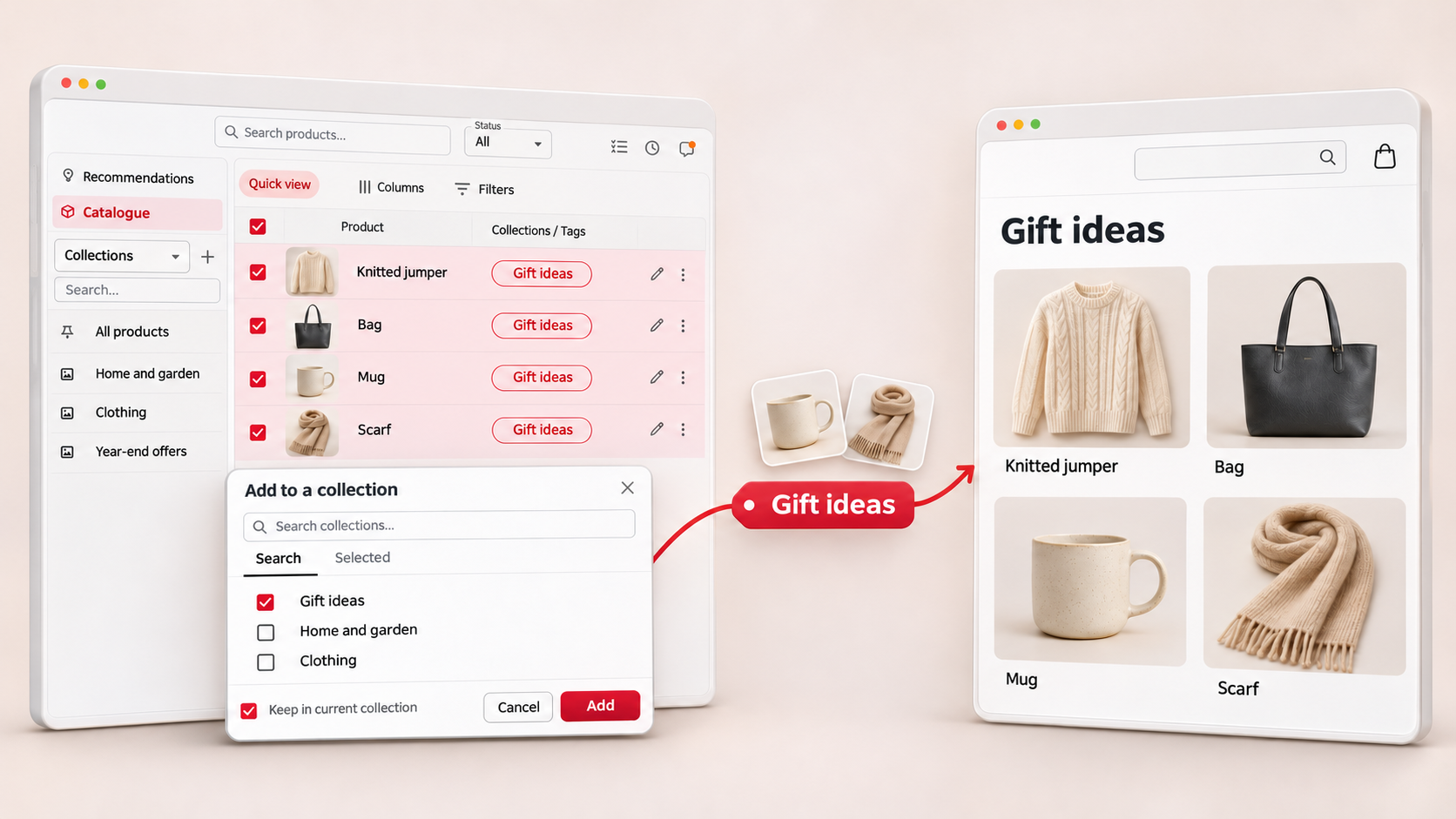
Create a dedicated category, for example "Black Friday" or "Gift Ideas".
Attach your products to it in bulk, without removing their main category: they remain visible in their usual place.
Order products in the category to place your best sellers and your most interesting margins at the top.
Optimize the category for SEO : title, meta-description and URL.
Once the operation is finished, remove products from the category in bulk, or deactivate the category to reuse it the following year.
On Shopify: tags and automatic collections
In Shopify, create an automatic collection where the condition is "product tag is equal to black-friday".
In Store Commander, select the products concerned and add the "black-friday" tag to them in bulk.
The collection fills automatically, ready to be featured on your home page or in your menu.
After the operation, remove the tag in bulk: the collection empties without the need to delete it. The same logic works for all your operations: "cyber-monday", "gift-ideas", "christmas", "winter-sales".
The day after a highlight: putting your catalog back in order
This is the moment most often forgotten, and yet it is where errors set in. Before moving on to the next operation, check:
that no discount has remained active by error;
that strike-through prices have been correctly removed;
that products have left the seasonal category, or that tags have been deleted;
that products sold out during the operation are correctly managed (stock, availability, visibility).
With Store Commander's filters, you isolate these products in a few seconds and correct them in bulk, instead of browsing your catalog sheet by sheet.
Learn more about Store Commander for PrestaShop 9.
A method to reuse all winter
Once your first operation is prepared, the following ones go much faster: same filters, same rounding rules, same category or tag logic. Black Friday becomes a dress rehearsal for Christmas and the winter sales.
Result: less time spent in the back-office, fewer pricing errors, and more time for what really sells: your visuals, your campaigns and your customer relationship.
Do you manage your store on PrestaShop or Shopify and want to save time on your next highlights? Test Store Commander for free, without a credit card and without commitment.
The end of the year is intense, but it is also the period where your efforts pay off the most. Well prepared, each operation becomes simpler than the previous one, and you approach the season with serenity. We wish you very nice highlights and excellent sales!