
Adding references on combinations: in bulk of course!
How do you setup references on combinations quickly so that you can publish them on marketplaces such as Amazon, Cdiscount... ?
Adding references to each combination on a store can quickly become a long and tedious process, but with Store Commander and its Combination References Generator, it"s going to be as easy as 1 2 3 :)
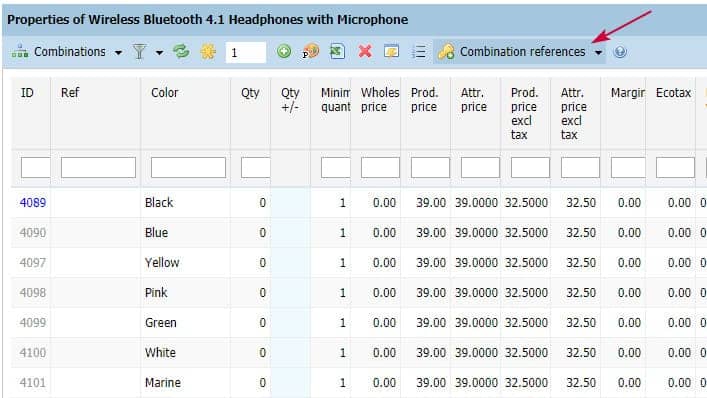
There are 3 methods to get round this.
First method: the CSV import: the Holy Grail!
This is the best method if you already have a reference frame for your combinations because you need to the same references as your supplier.
Second method: manual input: the worse :(
Time consuming and error-prone, adding reference manually on combinations is a real pain that we all have experienced: not recommended!
Third method: the reference generator: creating your own references easily and in a click
This tool, integrated to Store Commander - remember to update your SC > Help > Update - creates unique references effortlessly and most of all humanly readable!
Three formats to choose from, for example my product using reference "REFPROD4567":
Product reference - unique id
The result would be:
REFPROD4567-0
REFPROD4567-1
REFPROD4567-2
etc.
Product reference - id_product_attribute
The result would be:
REFPROD4567-12487
REFPROD4567-12488
REFPROD4567-12489
etc.
And more reader friendly:
Product reference - unique ID - attribute name (first 4 letters)
The result would be:
REFPROD4567-1-Blue
REFPROD4567-2-Red
REFPROD4567-3-Whit
etc.
As from now, you can setup lots of unique references on combinations to fill the gaps within your catalog.
We are now currently working on another tool to display combinations of multiple selected products in just one panel. In a click of a mouse, you'll be able to complete missing information in your catalog: full days work saved!
Over to you :)
Refer to this article for more detailed information.